Share


Today, we’re making Splynx 6.0 generally available. We have been working on this release for half a year, and we add a lot of features and new approaches there.
Splynx 6.0 lays the foundation for our new direction, with features that make Splynx more accessible and easy to use. Let’s take a look at what’s new:
Splynx 6.0 marks a shift in how we think about the platform that was started 10 years ago as a ISP framework, as a software that fits to the needs of each single ISP. For the first time in this major release we added AI features to our platform.
Connect an AI assistant to your Splynx instance. The first piece is a built-in MCP (Model Context Protocol) server. Point an MCP-capable AI assistant – Claude Desktop, Claude Code, Cursor, or any client that supports remote MCP servers – at your Splynx, sign in, and work with your data in plain language: find a customer and check their unpaid invoices, create a ticket, or list every customer on a given plan in a given location. Access runs entirely on the permissions you already manage – no separate permission system to configure – and every AI-initiated action is logged and flagged, so you always know what the assistant did.
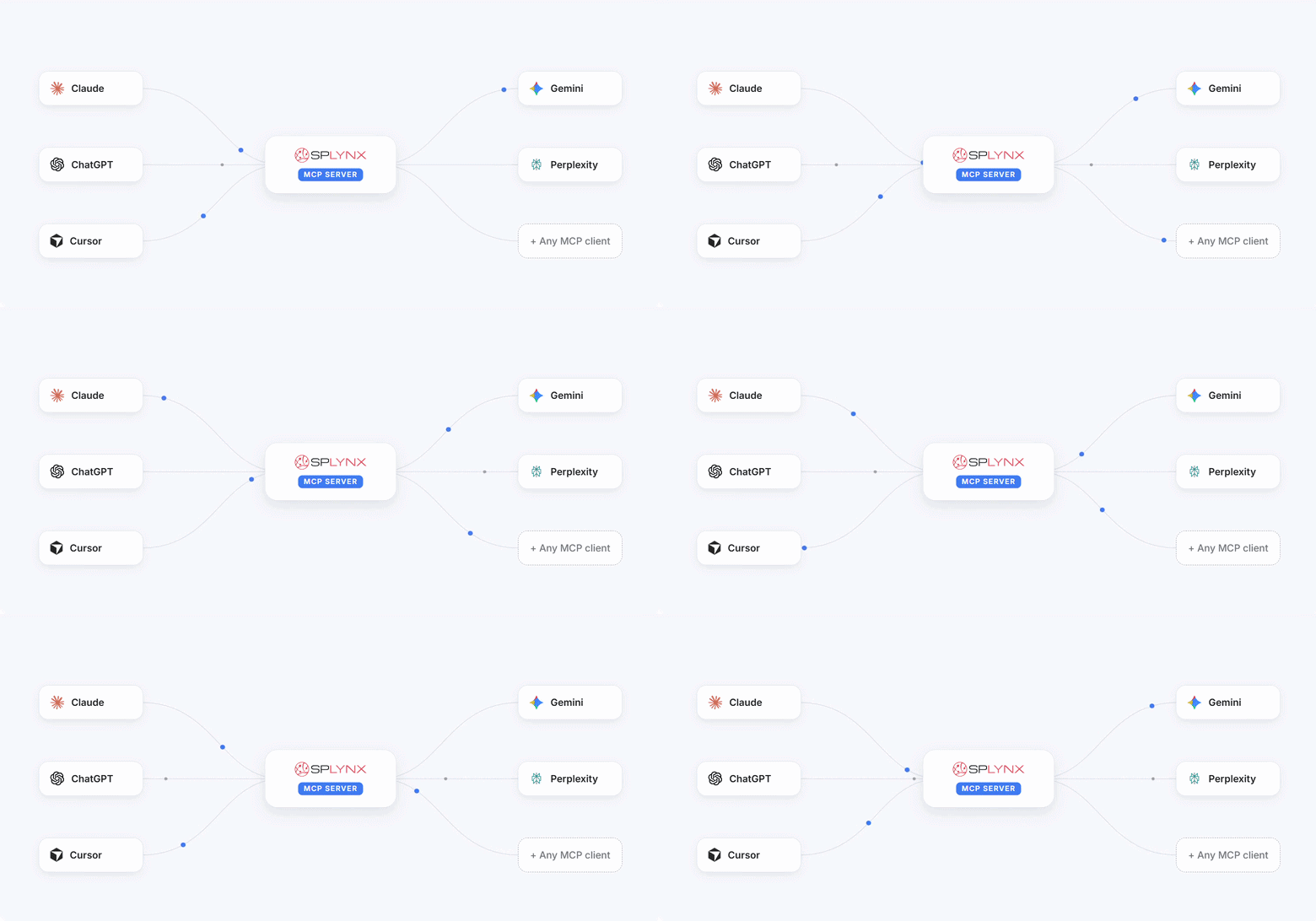
A separate MCP server for developers, so you can build your own add-ons. If Splynx doesn’t do something you need yet, you no longer have to wait on our roadmap. The Splynx Add-ons MCP Server teaches an AI coding assistant how Splynx add-ons are built, so it can scaffold one for you: a fiber-provisioning integration with a third-party platform, a SIM-provisioning integration with a mobile operator, an IP-blocklist check before activating a customer, or a payment gateway for a market we haven’t gotten to ourselves. It runs on your own machine or infrastructure and never touches your live Splynx data.
AI built into Splynx and a chatbot for first-line support. Beyond the two MCP servers, 6.0 puts AI to work directly inside support: ticket summaries, suggested replies, similar-ticket detection, and AI-assisted analysis and reporting, with your choice of provider. Alongside that, Splynx has partnered with Elsa to bring an AI chatbot to first-line customer support, covering after-hours questions or handling routine ones outright.
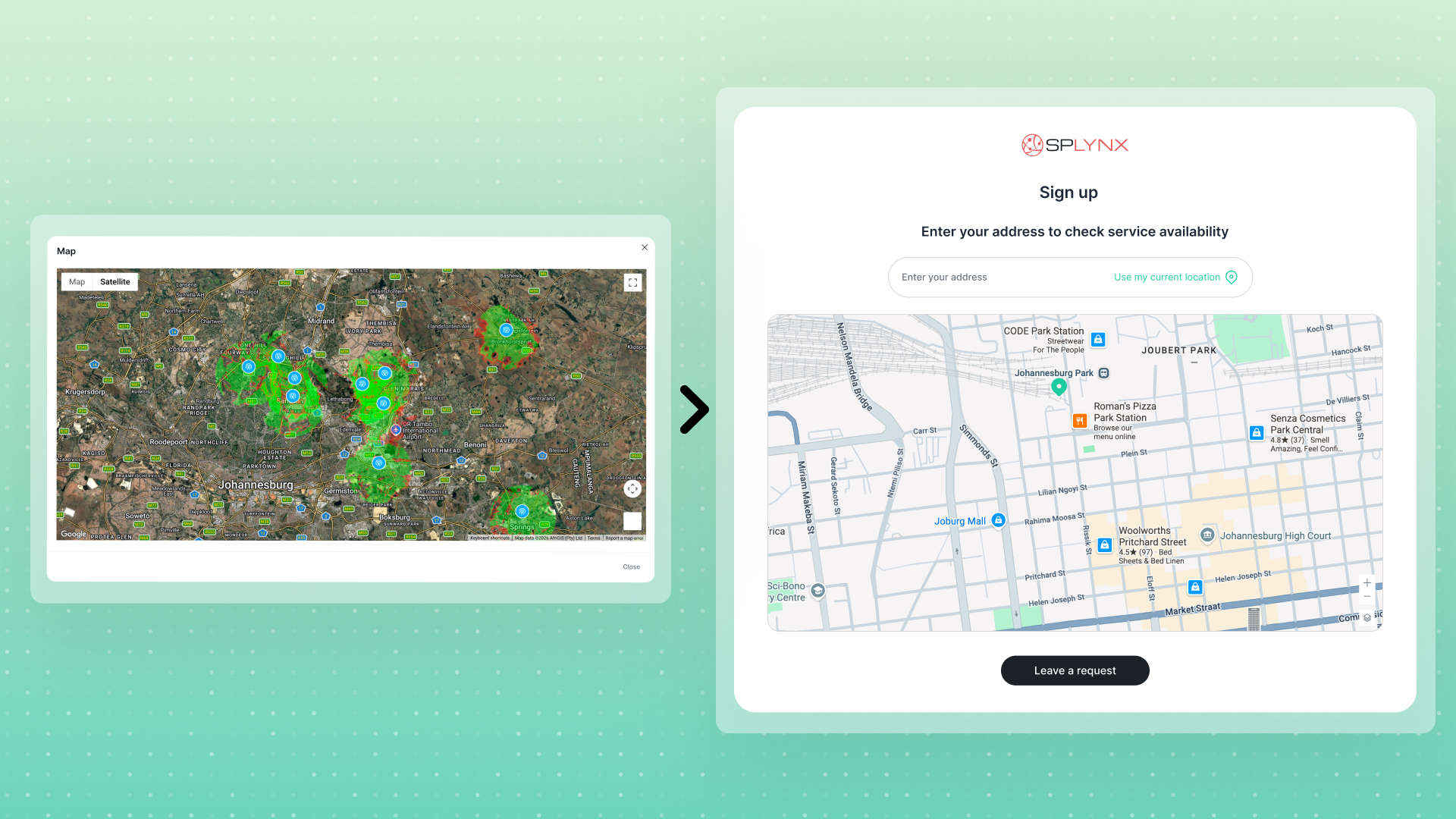
Splynx 6.0 also introduces a redesigned customer sign-up flow: a public, self-service registration page where a prospect checks coverage at their address, picks a plan, adds hardware or extras through the Package builder, and completes checkout – paying online, verifying by OTP, and signing a contract – after which Splynx creates the lead or customer automatically. You configure it per partner across five tabs (General settings, Plan selector, Sign-up, Checkout, Notifications), so branding, available plans, form fields, and payment options are all yours to set.
The sign-up form also works together with the new Coverage maps: when a potential customer enters their address, Splynx checks the location against your configured coverage maps and displays only the tariffs actually available at that address. No more orders for services you can’t deliver – and no more manual address checks before quoting.
Online signing isn’t new to Splynx – what’s new in 6.0 is what the signature is worth. A signed contract or quote PDF now carries a real cryptographic digital signature, not just the signature image: any change after signing breaks the signature, and it verifies in any PDF reader that supports digital signatures, in line with the eSign Act and eIDAS.
The signing certificates are created automatically during setup, with a separate certificate per partner – no configuration needed, and because the whole capability is built into Splynx, there’s no third-party e-signing subscription to buy or integrate.
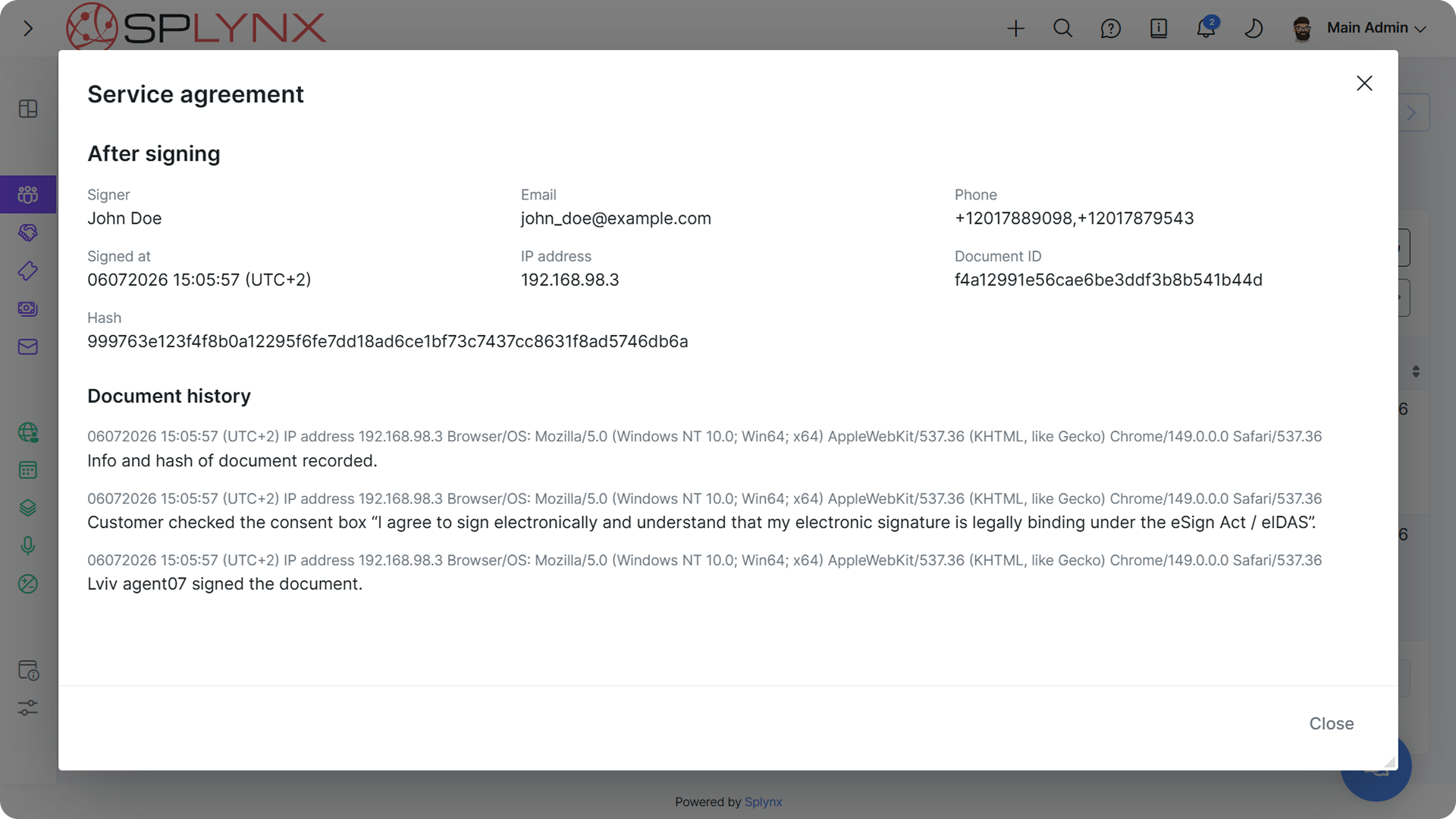
Every signed document keeps a full audit trail – signer name, email, phone, signed-at time, IP address, and a SHA-256 hash of the PDF itself.
Splynx 6.0 adds Coverage maps: visualize your network coverage by connection type across different locations. Upload KML or KMZ files (up to 5 MB), group them by connection types with color coding, and link connection types to specific Internet or Voice tariff plans and to Network sites – so a tower or POP on the map shows which technologies are available from that location.
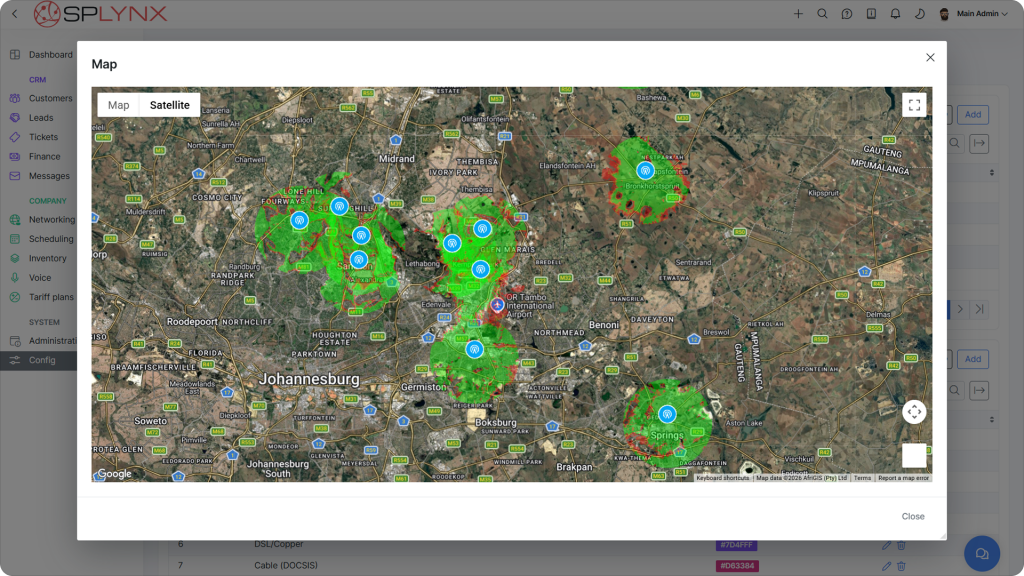
KML/KMZ import and export on the network map lets operators overlay external geographic data such as coverage areas and fiber routes, and filter the map by connection type or by individual coverage files. And as mentioned above, coverage maps drive tariff availability in the new sign-up form.
Operators can now send bulk WhatsApp messages to selected groups of customers, using Marketing templates approved by Meta, with per-status delivery tracking. At the same time customers stay in control: STOP/START opt-out works out of the box with an auto-appended footer (Twilio Advanced Opt-Out customization is supported), and a dedicated WhatsApp log (Administration → Logs → WhatsApp) plus a template operations audit log keep every send traceable.
6.0 also adds support for WhatsApp’s BSUID username-based chats, so conversations keep working as WhatsApp moves to hiding phone numbers behind usernames.
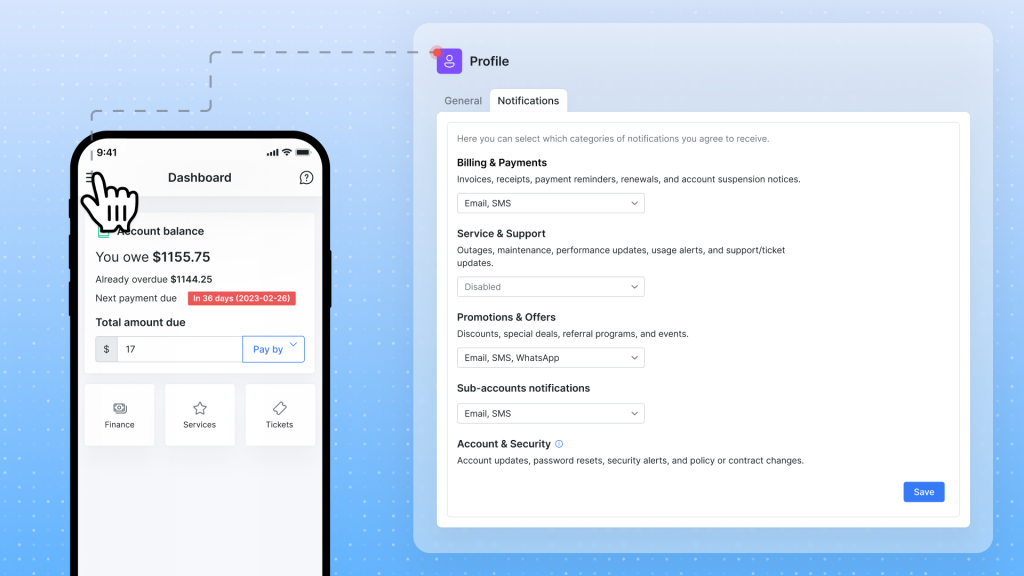
This pairs with the new channel-level consent management: customers can opt in or out of email, SMS, and WhatsApp notifications individually.
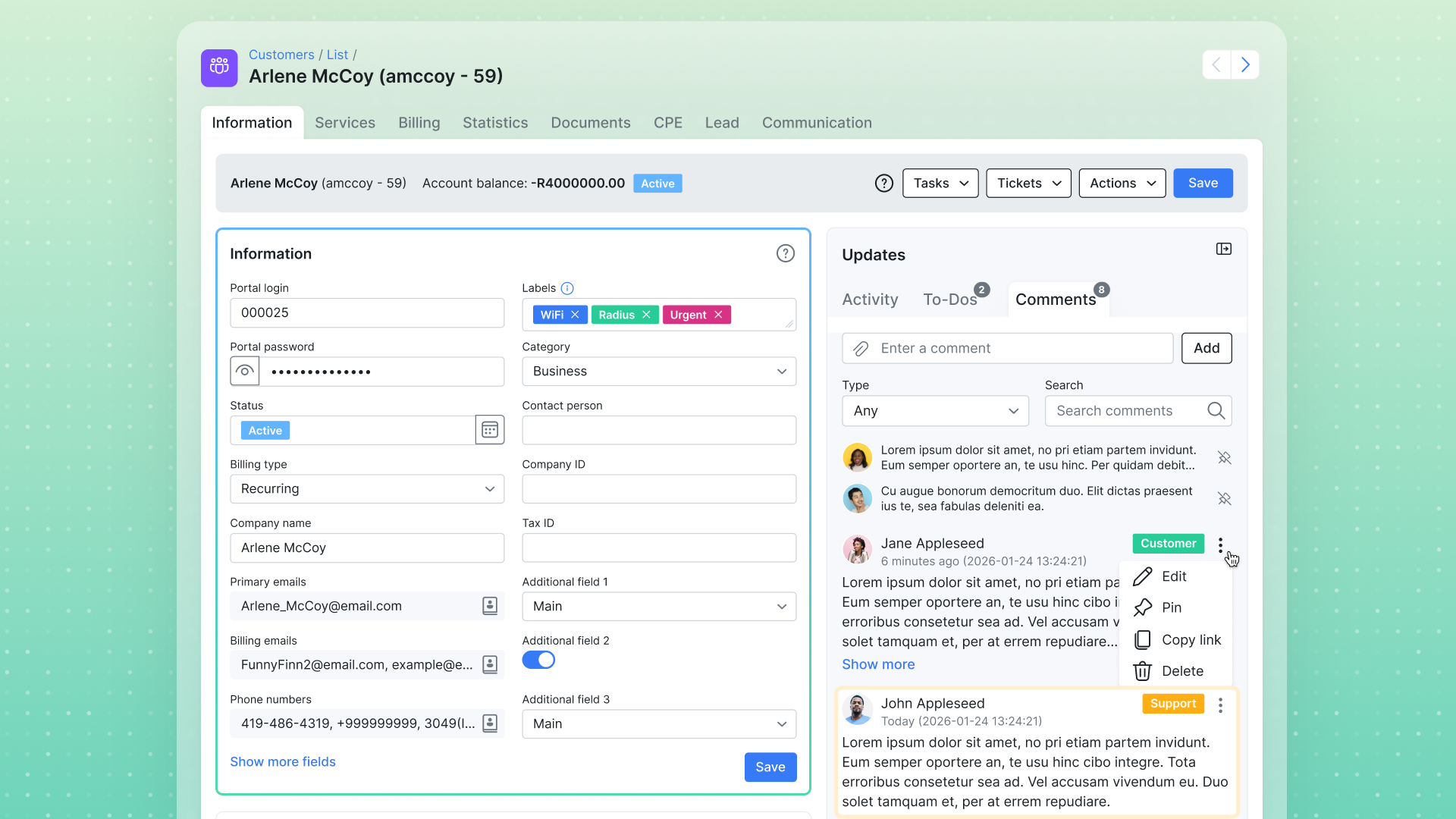
Key customer and lead details now sit in a compact two-column layout – and it’s yours to rearrange. Just drag fields between the two columns to match how your team actually works. On upgrade to 6.0, your existing fields fall into place automatically, ready to reorder from there. All contact details now live in the new Contact book, below.
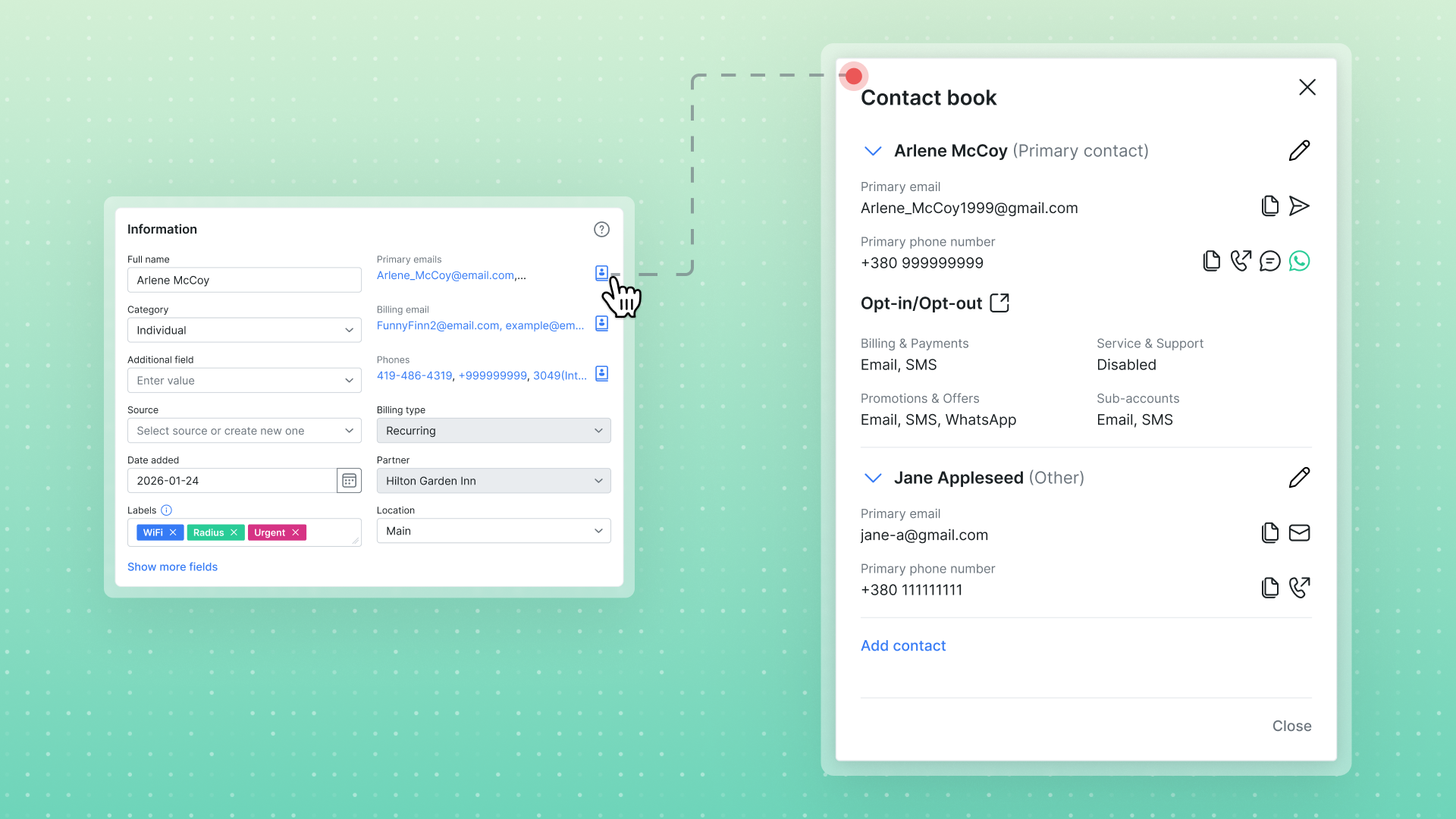
Splynx 6.0 adds a Contact book on both customer and lead pages: alongside the account’s own Primary contact, you can add as many additional contacts as you need, each with their own emails, phone numbers, and communication preferences – useful for business accounts where the billing contact, the technical contact, and the person on-site are different people.
Different brands and departments can now send and receive email from separate addresses. Email configuration has been redesigned around Outgoing mailboxes – multiple sender mailboxes per category (Default, Sales, Support, Finance) that can be linked to partners. A “Send from” picker appears across tickets, messages, and mass sending, so the right identity goes out every time.
The new Email deliverability section helps you stay out of spam folders: automatic List-Unsubscribe headers (RFC 2369/8058), SPF/DKIM/DMARC guidance, and coverage of the Gmail/Yahoo bulk-sender requirements. Incoming email (IMAP) is now configured under Config → Helpdesk → Inboxes.
The Splynx Comm App is a mobile companion app for support agents who need to handle tickets and customer WhatsApp chats away from a desktop – and it’s available now for download on the App Store and Google Play.
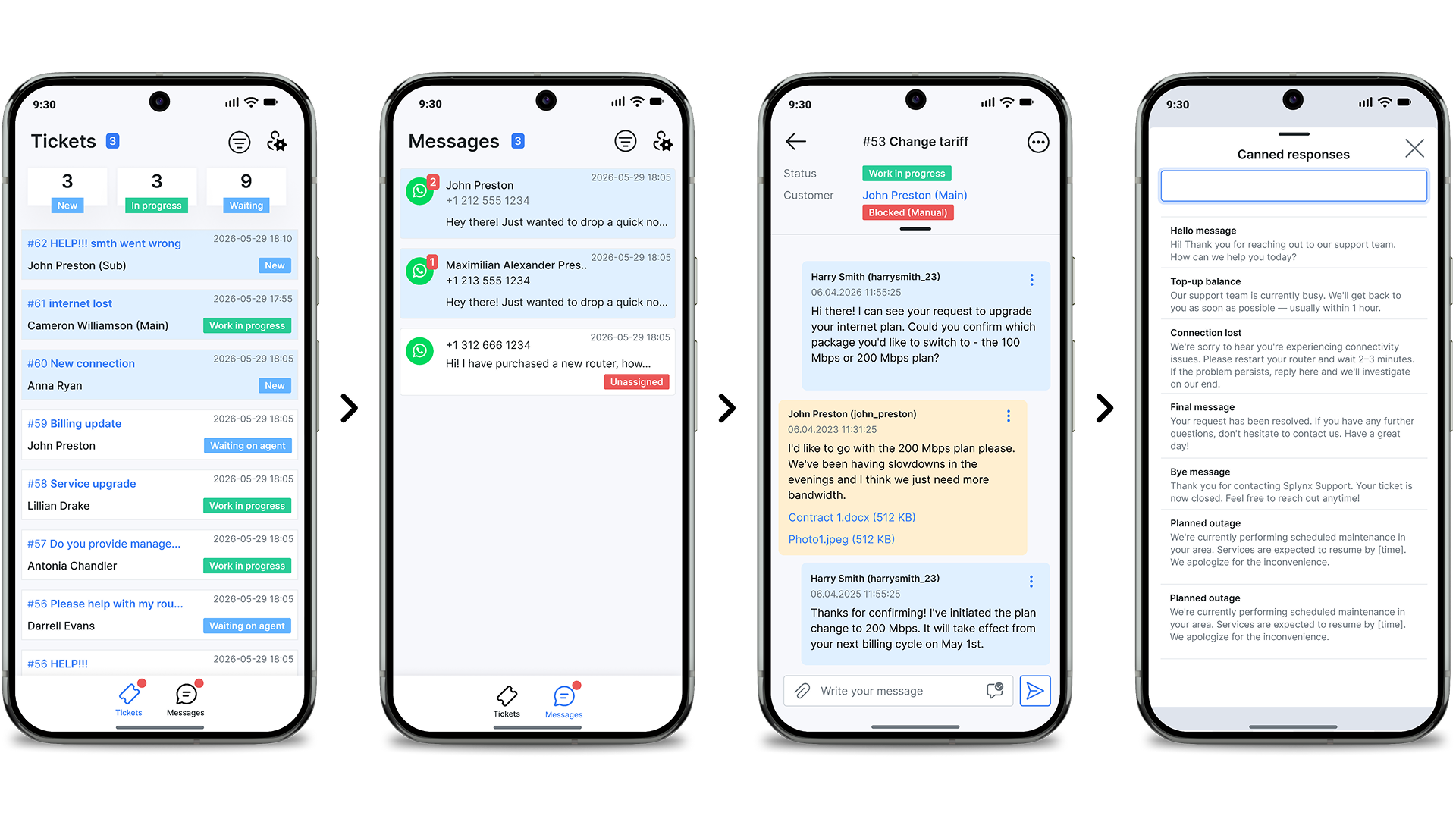
A bottom navigation bar switches between Tickets and Messages with unread indicators on each tab; the Tickets tab shows summary counters (New, In progress, Waiting) and full threads where agents can reply, add notes, and change status, while the Messages tab lists WhatsApp conversations that stay in sync with Splynx web. Centrally managed canned replies speed up common answers, and per-event push notifications can each be toggled on or off. From any ticket or chat, agents can jump straight to the linked customer’s profile for billing, services, and contact details.
Splynx 6.0 is now generally available and automatically installed on all new instances (new clients get a 15-day free trial with no commitment). All customers on active licences can upgrade and take advantage of new features at no additional charge. And for optimal performance, we recommend using the latest Splynx version (you can always check yours under Administration → License → Version). To upgrade, just send the request to support@splynx.com. Our team will handle the upgrade and ensure a smooth transition.
See all the Splynx 6.0 features and improvements in our release notes and changelog.

Splynx Stripe Integration Now Supports OAuth 2.0
Splynx has upgraded its Stripe integration with OAuth 2.0 support – making it faster, safer, and simpler for ISPs to c...
Starting today, Splynx 5.2 is generally available. These updates focus on communication upgrades that help teams respond...

Splynx wins “Service of the Year” at WISPAPALOOZA 2025
This week in Las Vegas (October 13–16, 2025), the Splynx team exhibited at WISPAPALOOZA, WISPA’s flagship annual con...
Find out how Splynx helps ISPs grow
Learn more