Share


Missed the live session? Here’s your chance to catch up.
This is the full recording of our recent live training, where we walked through Splynx 6.0 – seven to eight months in the making, and the biggest release yet. Founder and CEO Alex Vishnyakov led the session, joined by Chris from Product & Deployment and Vlad Romaniuk from Marketing, covering everything from AI and MCP servers to a rebuilt sign-up flow, WhatsApp messaging, and a faster core platform.
We also hosted a live Q&A, where the team answered real-time questions from ISPs across the globe – from AI automation and sign-up flow customization to WhatsApp messaging and platform performance.
Splynx 6.0 Webinar Presentation
👉 Splynx MCP got a full deep dive in this session – if you want to go further, here’s the Splynx MCP page.
1. Can you tell us about bulk WhatsApp message sending?
Yes. WhatsApp mass sending is now native, and it complies with Meta’s rules on messaging. Every message includes an automatic opt-out: the customer can reply “stop” and that message type stops immediately. Templates are registered with Meta as marketing, promotional, service, or utility, and categorized accordingly. Customers can also manage their communication preferences from the customer portal. Sending currently works via mass campaigns – for outages, promotions, or offers – and every message is fully audited and logged. If a customer replies, staff can pick up the conversation from there.
2. Is it possible for the new version to do a hotspot?
Hotspot has been natively moved into the PowerLynx platform, PowerLynx being a super powerful hotspot management and Wi-Fi monetization engine. It has far more functionality than Splynx ever had in terms of hotspots, and we encourage you to sign up and use it – there’s a nice trial period so you can test out the system before making any commitments. It’s even integrated with Splynx already, so it can pull data from existing Splynx customers and let them connect to the hotspot network. That integration was added about a year ago, so it’s already there.
3. How long did Splynx 5.0 stay in service, and how long is the expected lifecycle for 6.0?
We don’t push all customers to migrate – usually we ask them to migrate if possible. Cloud customers we migrate ourselves; for on-prem, it’s up to when the customer finds time, which is why some are still running three-point-something or four-point-something versions. We typically maintain a version for around two years – 6.1 is expected by the end of this year.
4. Any plans for SMS support?
WhatsApp integration, WhatsApp messaging, WhatsApp chats – in certain countries WhatsApp isn’t used that much, and our customers have asked us for two-way SMS support. This feature is currently under development already, and we hope to have it publicly available in the 6.1 release by the end of the year.
5. Are there any upgrade costs to get all the new features?
There are no upgrade costs. You just need to make sure you comply with the latest specs – anyone still on Ubuntu version 20 would need to upgrade to a machine on 24 before doing the upgrade. That’s the only cost; there’s no cost from Splynx’s side. You simply send a message to support@splynx.com and they’ll arrange a date and time. No downtime is expected, as long as you comply with the minimum required specs.
6. Why choose to rewrite in Zig?
We’re not rewriting everything in Zig – just the toughest, largest modules, starting with RADIUS, where our own module handles the database communication and query processing (on top of FreeRADIUS). The rewrite cut CPU and memory usage roughly tenfold on large deployments – some of our ISPs run hundreds of thousands of subscribers, which is exactly the scale where that matters.
7. Besides the Splynx Field Service mobile app, is there an admin app?
We thought about this for many years. However, we decided that since version 4.0, we redesigned the user interface so well, in terms of usability, that it works really well across mobile, tablets, and monitors. So we decided not to spend multiple years implementing duplicate functionality – we’d rather bring new, innovative features.
8. Can you cover the coverage areas using UPRN or address location via a Wholesaler API, or CSV files uploaded on a month-to-month basis?
We’re planning to do this – wholesaler APIs aren’t standardized, so we’re researching with developers, for the next release, how to find common ground across them. We chose KMZ/KML as the first iteration because it works with any coverage source globally; API-based imports are the natural next step.
9. Do you have a community forum for companies to discuss the AI tools they develop?
Yes, we do have a forum. People are already reaching out about submitting their work – one person recently submitted a new plugin, an NMS that integrates with Splynx. During Q4 we plan to release a community page on our website – a marketplace-style section where people can share their GitHub repos with others. We’ll announce it soon.
10. Does Splynx automatically try a second payment method if the primary one is declined, or does it just keep it on record as a secondary for the customer to specify?
Splynx does not automatically fall back to a second payment method. A customer can have several payment methods on record, but exactly one is flagged as Default, and automatic charging always uses that one – the API the payment gateway reads returns only the default method. If that charge is declined, Splynx logs the failure and sends a failed-payment notification; it does not attempt any other stored method. The secondary method stays on record until someone makes it the default (admin: Customer → Billing → Payment accounts → Set default) or the customer pays with it manually in the portal. Note that storing more than one payment method per customer requires 6.0 or newer — earlier versions kept a single stored method per gateway.
11. On the sign-up flow, would love to have the ability to rename or explain the default fields — new clients seem confused, for example, about “Identification”: they type “yes” instead of entering their South African ID number.
Yes – on the sign-up flow, all fields and names, as well as colors, filters, etc., are customizable.
12. On the sign-up flow, can this just be a quote request rather than an order that requires banking info?
Yes, it is possible to define the preferred steps of the sign-up flow.
13. On the sign-up flow, for the ID number field, can it check if it’s a valid ID number?
Not currently.
14. Will the sign-up flow connect to Google Search Console, so we can see any drop-offs – or does the AI tell us when a customer has dropped off partway through the sign-up journey?
No. The sign-up flow’s Marketing settings by default only cover SEO metadata (page title, meta description, OG image) for search engines. There’s no Google Search Console integration and no AI-based drop-off detection. That said, this isn’t a hard cap – it would need custom add-on development and a new developer tool, the Splynx Add-ons MCP Server, now exists specifically to accelerate writing this kind of custom add-on.
15. The current Splynx version 5.0.6642 is outdated – a new version, 6.0.20500, is available. How can I upgrade it?
Please send the upgrade request to support@splynx.com and our team will schedule the upgrade for you 👌
16. Is there any additional charge to upgrade to this version?
No, it’s all included in your Splynx license.
17. For network sites, is there a way to keep track of changes – a change-log of sorts?
Thanks for the idea! At the moment there is no activity tab, the same as we have on the customer profile, for instance. But this is a good point to consider adding.
18. What’s the SmartOLT integration status?
Currently we don’t have plans for the SmartOLT integration, please log it as a feature request.
19. Does this upgrade require upgrading my server capabilities, if I’m on 5.0?
Please send a message to our support team at support@splynx.com and our team will guide and assist you with all the details.
20. Will TACACS+ be available?
Currently we don’t have plans for TACACS+, please log it as a feature request.
21. Can the login page for customers be a custom design?
If you mean the customer portal, yes, it is possible to customize it. On the sign-up flow, it’s also possible to change wording, colors, fields, etc.
22. Can we create our own login page entirely and just connect the sign-in component to auth on Splynx, to get into the Splynx dashboard?
Yes – Splynx supports this through an API-token-based session bridge. Reach out to support@splynx.com and our engineering team can walk you through the integration.
23. If a customer sends a message through WhatsApp saying “my internet is not working,” can the customer care agent immediately see the customer’s name and account status?
Yes, if the number is already linked to a customer or lead — the agent sees the name right away and can open the full profile (billing, balance, services, account flags) directly from the chat or ticket. If it’s a new/unrecognized number, it first appears under Unknown Senders and needs to be linked manually before that information shows. And if you’re using the pop-up messenger widget – you follow the notification. If you use the Splynx Comms application, all the info about the customer, status, service, etc., will be displayed automatically.
24. How do I log time on a ticket? Can you show us?
Here is the guide to logging time on tickets.
25. As a new Splynx client, what is the contractual term period?
We do not have a contract term that ties you to some obligations. Splynx is a subscription-based product (monthly, quarterly, or annual payments); you have an active license and all its benefits and support for as long as you maintain it.
26. Can Splynx be configured for prepaid customers?
Yes. Prepaid is a full billing type per customer/sub-account, with configurable minimum balance, deactivation/grace period, and custom prepaid periods (not just monthly).
27. How do you deal with junk data in the Splynx Inventory tab – if someone missed the concept of defining a product and confused it with creating items, ending up with duplicate items that confuse the presets, data presentation, reorder thresholds, etc. – is there an easy way to clean this up straight from the GUI?
There’s no built-in way to merge duplicate products from the GUI today. For a small cleanup you can remove the extra items manually; for a larger mess, reach out to support@splynx.com – they can help clean it up directly.
28. In Inventory, only a unique barcode is allowed – when it comes to the same barcode but multiple items, it only accepts the same barcode for one line. Can one barcode be used for multiple lines of the same product?
No – barcodes must be unique across all inventory items. If you don’t need to track units individually, leave the barcode blank; blank barcodes aren’t checked for uniqueness, so you can track that stock by quantity instead.
29. For the sign-up flow, is there a way to accommodate existing clients who want to add a second service at a different address?
Not through the public sign-up flow – that’s blocked to avoid creating duplicate customer records. The supported way is the customer portal: an existing client logs in and orders the additional service there, which goes into an approval queue before it’s created. Different addresses per service are fully supported.
30. How will we be able to select EFT or Debit order on the sign-up flow on the client side, so that if the client selects EFT, the banking details/DO aren’t needed, and if the client selects Debit order, the Netcash page is visible to fill in?
Not as a single built-in toggle today, but you can get there without custom development – run two separate sign-up links (one with Netcash enabled for Debit order, one with gateways off for EFT), or collect the debit-order mandate as a separate step after registration.
31. Does WhatsApp still need to be used with Twilio? Must we use Twilio to use WhatsApp?
Yes. WhatsApp integration in Splynx requires a supported messaging provider/connector. Splynx WhatsApp integration works via Twilio provider.
32. When connecting Splynx to an AI tool like Claude, should I log in with my username and password as super admin, or as a normal user?
Neither – connect with a dedicated account or API key that only has the permissions the assistant’s task actually needs, not a Super Admin login. If you’re using OAuth (the simplest setup for Claude Desktop or Claude Code), sign in with an administrator whose role is already scoped down to what the assistant needs – it inherits that admin’s exact permissions, so logging in as Super Admin gives the assistant Super Admin access too. For automated or scripted setups, create a dedicated API key instead and scope it narrowly – read-only if the assistant is only being used for lookups and reporting. Every action the assistant takes is logged and flagged as AI-initiated in the API request log, so you always have full visibility into what it did and can adjust its access at any time.

5 signs your ISP has outgrown its current billing setup
ISPs lose up to 9% of revenue to billing errors. Five warning signs your ISP billing software needs an upgrade, with dat...
Field service operations for ISPs webinar – workflows, tools, and real-world results
Explore how leading ISPs handle the entire field service process using Splynx - from scheduling and dispatching to the m...
Splynx’s Field Service Mobile App
Today, we’re launching the Splynx Field Service app for iOS and Android, purpose-built to meet ISPs’ unique needs in...
Splynx 5.1 webinar: product & new features overview
This is the full recording of our recent live training where we walked through the latest features and improvements in S...
Automate accounting process for your ISP and save hours of work
See how Splynx can save your accountant hours with out-of-the-box accounting integrations that automatically synchronize...

Thinking about changing software for your ISP? Keep these tips in mind
Transitioning from one ISP software provider to another can be rather challenging. Here's what you need to consider to m...

The power of Splynx ACS (TR-069) for local ISPs
Splynx ACS (TR-069) optimizes the way ISPs operate, interact with clients, and manage their networks.
10 Biggest Nightmares for Local ISPs and How Splynx Solves Them (Insights from 50+ Feedbacks)
How can local ISP business succeed? Here are the biggest pitfalls on over 50 interviews with our clients worldwide.
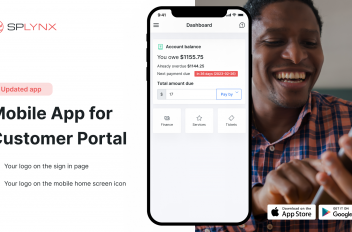
Enhance Your ISP Business with Customer Portal Mobile App
Discover Splynx’s Customer Portal mobile app for ISPs. Enhance your service, boost payments, and set your own branding...
How can WISP boost daily service with Splynx custom tags
Discover how can WISP improve daily customer service with Splynx customizable labels.
Find out how Splynx helps ISPs grow
Learn more