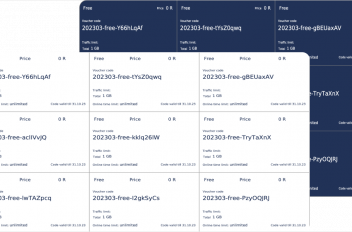
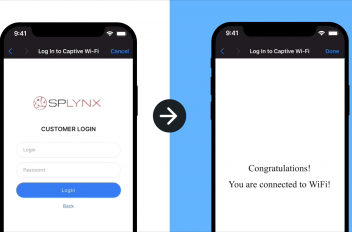
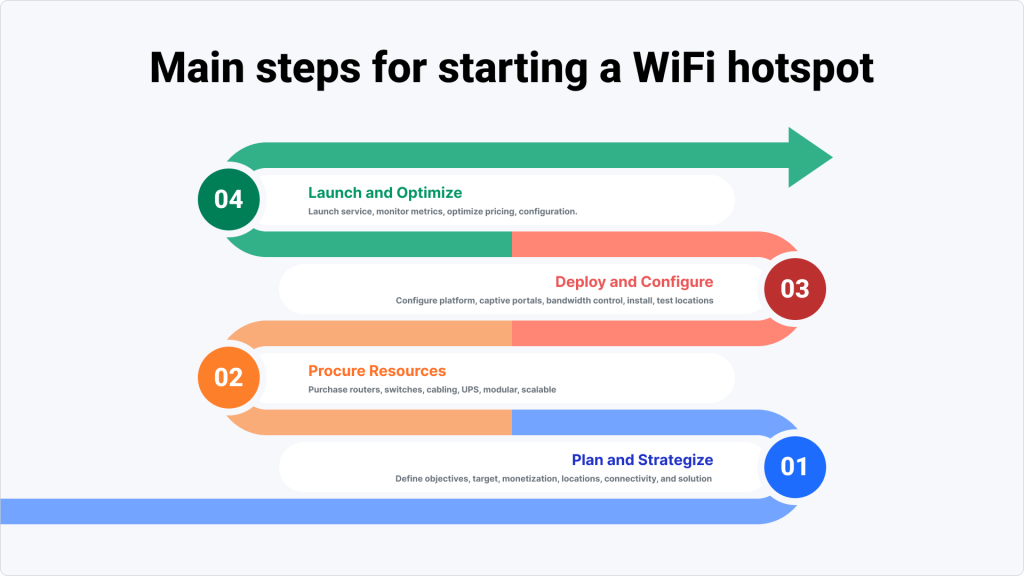
A Wi-Fi hotspot business sells short-term internet access at public places: markets, schools, malls, transport hubs and residential streets. Users connect, choose a package (a day, a week, a month or a data allowance) and pay online or with a voucher. To start one, you need:
- an internet connection (backhaul) to each site;
- a router and access points at each site;
- hotspot software with a captive portal that takes payments and vouchers;
- a plan for supporting users who come and go;
- a check of the licensing and user-data rules in your country.
This guide walks you through each item and backs it with the experience of Project Isizwe. The non-profit delivers equitable internet to underserved African communities and brings more than ten years of hotspot experience. Their lessons show the best practices to follow before you switch on your first hotspot.
The initial publication on February 21st, 2023 was updated on October 13th, 2026.
👉 Best Wi-Fi Hotspot Software in 2026: Features, Prices, Comparison
Who a hotspot business is for
Public Wi-Fi can bring internet access to places where home broadband is out of reach, as Project Isizwe shows in low-income South African communities. A paid or sponsored Wi-Fi service fits:
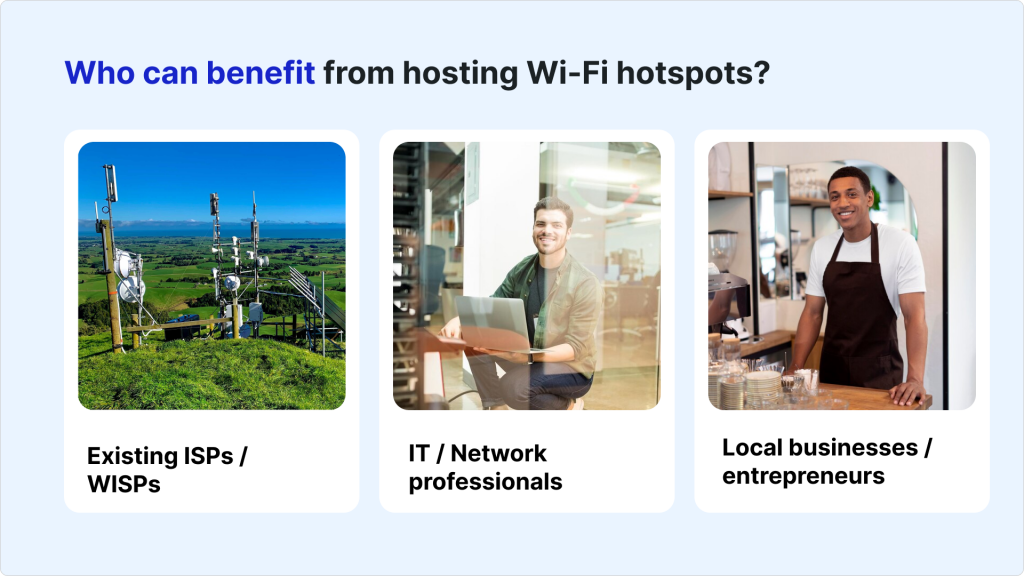
- Broadband businesses that want to extend their reach from homes and offices to public places.
- Local entrepreneurs and network professionals who start a paid Wi-Fi service from scratch.
- Venues and public spaces such as malls, campuses and transport, which offer or sell Wi-Fi to visitors.
- Community and non-profit projects like Project Isizwe, funded by sponsors and small daily payments.

For a broadband business, public Wi-Fi hotspots let you:
- Reach remote locations with easy-to-access Wi-Fi
- Increase ARPU by expanding your product offerings
- Build your brand and community goodwill
- Engage new markets and get more recognition in existing ones
- Expand reseller channels

Who pays for the Wi-Fi
Decide early who pays, because it shapes your pricing, your software and your marketing. There are three common models:
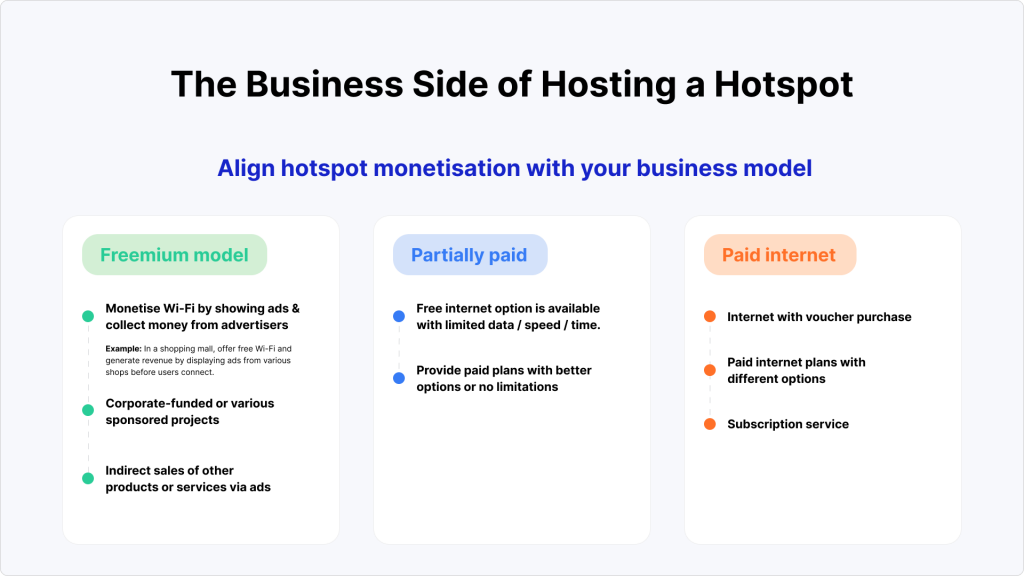
- Paid internet: users buy vouchers or paid plans with different options (time, data, validity).
- Partially paid: a free option with limited data, speed or time, and paid plans with better options or no limits.
- Free for the user: sponsors, corporate-funded projects or advertisers pay; for example, a mall offers free Wi-Fi and shows ads from its shops before users connect.

Hotspot business plan checklist
Answer these questions before you launch. Each one feeds the next.
- Locations and users. Where will the hotspots be, and who will use them? Hotspots at places of work during business hours serve video calls, email and online meetings; these users expect a reliable, secure connection. Hotspots in residential areas attract people who browse and stream for leisure and want high speeds.
- Regular and occasional users. Loyal users connect often; occasional users may connect once. Knowing the mix helps you set bundles, price points, marketing and the level of support for each group.
- Prices and packages. Find out what users are willing to pay and which packages they need (see “Pricing and payments” below).
- Revenue target per site. Set a realistic target for each Wi-Fi endpoint. Account for local competition, the quality and reliability of your service, and what sets you apart.
- Hardware and software. Know what your equipment and software can and can’t do before you buy, and plan around the limits.
- Marketing and awareness. Budget for it from the start. Many users don’t understand public Wi-Fi: Project Isizwe teaches them how Wi-Fi works, where the coverage is and why it beats mobile data.
- Support. Hotspot users move around, and how often and how long they connect varies by location. Plan for real-time, on-demand support and for self-service sign-up, so users who are new to Wi-Fi can connect without help.
- Power. Where outages are common, plan backup power. Project Isizwe installs solar panels and backup power where possible, because load-shedding, theft and vandalism interrupt service.
- Local rules. Check licensing and user-data rules before you invest (see “Local rules” below).

What it costs to start a hotspot business
Costs depend on the number of sites, local bandwidth prices and how much of the work you do yourself. Plan for these items:
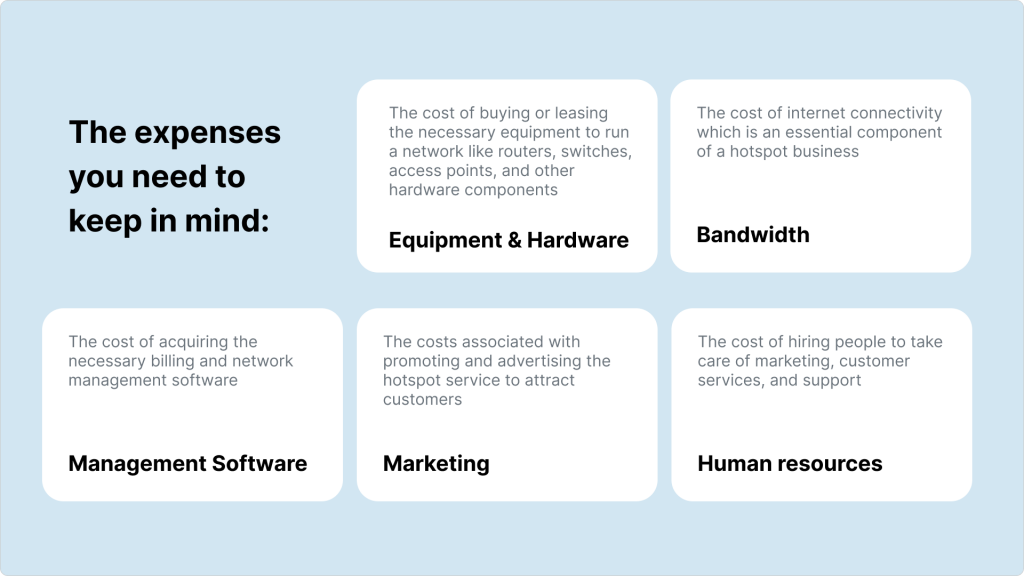
- Equipment and hardware: buying or leasing routers, switches, access points, cabling and other hardware.
- Bandwidth: internet connectivity to each site, an essential cost of a hotspot business.
- Software and systems: billing and hotspot management software, such as Powerlynx.
- Marketing: promoting and advertising the service to attract users.
- Human resources: people to manage marketing, customer service and support.

What equipment you need
Choose routers and access points by the expected size of your network, the number of users, the area each site must cover, the level of security you need and your budget. Look for routers that are easy to set up and manage, and add backup power (a UPS) where the supply is unreliable.
Each site has a router that acts as the hotspot controller, plus access points. To work with Powerlynx, the hotspot controller needs:
- a connection to Powerlynx via WireGuard, OpenVPN or IPsec VPN, or a public IP;
- a RADIUS client for hotspot user authentication;
- a hotspot manager that can redirect users to an external captive portal.
The access points can be any brand, as long as the main router meets these requirements. By default, Powerlynx supports MikroTik, Cambium, Nokia, Ruckus, Teltonika, Cudy and TP-Link Omada devices, which connect via RADIUS. For TP-Link Omada you need a self-hosted Omada Controller; Omada Cloud isn’t supported. Other devices that support RADIUS and an external captive portal can also work, with some extra configuration.
Project Isizwe, for example, runs MikroTik routers with Cambium access points.
Pricing and payments
In underserved markets, you need to balance the opportunity with the need to supply reliable internet to customers who don’t often have large amounts of cash.
Even R5 (about US$0.25) a day is still unaffordable for many, especially children still in school and the unemployed: the people who most need uncapped online access to change their lives. Project Isizwe’s paid product is R5 a day for unlimited data, and it also sells R25 for 7 days and R100 for 30 days. Consider time-based bundles instead of data (MB) bundles: Isizwe’s customers prefer the R5 for 24 hours option. People in underserved communities have the same right to quality internet as those in the high-end market, so adapt your plans to them.
Then decide how people pay:
- Vouchers for cash payments. In cash-based economies, vouchers sold by local resellers or bought on the splash page let people pay without a bank card. Project Isizwe’s community resellers earn a margin on voucher sales.
- Online payments, including mobile money where your users rely on it. Powerlynx lists gateways such as PayPal, Stripe, PayFast, Paystack, Safaricom M-PESA, Vodacom M-PESA, MTN MoMo, DPO Pay, Selcom and Netcash with 1Voucher. Check the current list for your country.
Local rules: South Africa, Kenya and other countries
Licensing and user-data rules for public Wi-Fi depend on the country. Before you launch, ask your telecom regulator which licence covers selling Wi-Fi access, whether you must register users or keep login records, and how long you must keep that data. Check your data protection law too.
- South Africa: the Independent Communications Authority of South Africa (ICASA) licenses electronic communications networks (ECNS) and services (ECS) under the Electronic Communications Act of 2005. It grants individual licences on application and class licences on registration; commercial networks of provincial or national scope need an individual licence. Ask ICASA which category covers your hotspot service.
- Kenya: the Communications Authority of Kenya (CA) licenses telecommunication services. Its licensing procedure starts with an application form and fee; applications endorsed by the Communication Licensing Committee are published in the Kenya Gazette for at least 30 days before the Board decides. CA also publishes guidelines for Wireless Access Systems in the 2.4 GHz and 5 GHz bands.
- Other countries: start with the telecom regulator’s licensing pages and ask which category applies to a paid public Wi-Fi service.
Project Isizwe: lessons from more than 1,000 hotspots
Project Isizwe, founded in 2013, provides free and affordable Wi-Fi to low-income South African communities in public places such as schools and shopping centers. According to its case study, it runs 1,002 hotspot sites in eight provinces, with more than 300,000 active users a month and more than 600,000 users from 60 underserved communities.
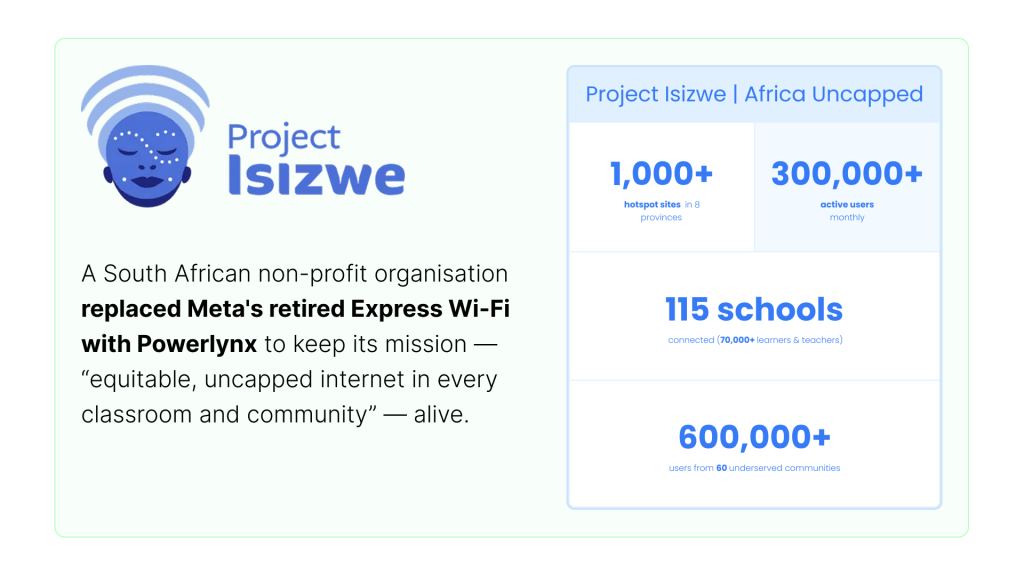
When Meta retired Facebook’s Express Wi-Fi, Project Isizwe moved its hotspots to Powerlynx; it has been a Splynx customer since 2022.
What they learned about underserved markets
- Every site is different. Schools, shopping centers and community sites need different rules and sponsors.
- Low-income users need data that is free or cheaper than R5 a day.
- A small team needs automation. Project Isizwe runs its network with a team of nine, so automation and self-service onboarding are essential.
- Free Wi-Fi is hard to sustain. Some funders support free access with limits, and each project balances free and affordable access.
Which business model works best for monetization
Project Isizwe’s business model combines B2C services at R5 per device per day with corporate-funded and sponsored projects. As a non-profit, its sustainability lies in diversified income streams: voucher sales, partners that want to give underserved communities free or affordable Wi-Fi, and advertising shown before users connect.
👉 Download the Project Isizwe use case (PDF)
Run your hotspots with Powerlynx
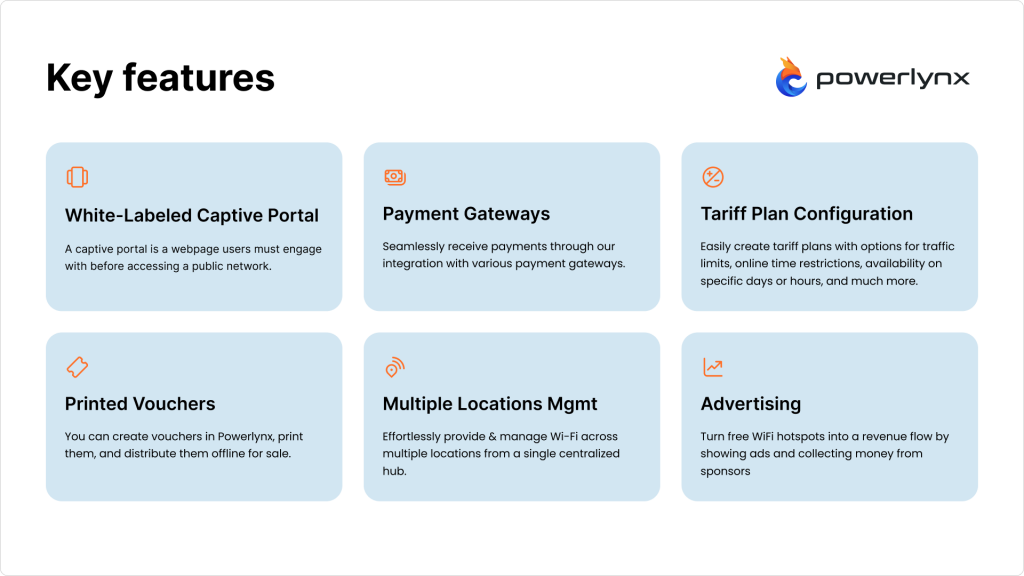
The software is where most of the daily work happens: plans, payments, vouchers and user onboarding. Powerlynx, our separate hotspot product, handles it for you:
- Cloud-based: no need for costly server infrastructure or technical expertise. Powerlynx can’t be installed on your own server.
- No-code captive portal editor: build branded splash pages without coding.
- Payments and paid vouchers: integrated payment gateways and voucher generation.
- Multiple locations: manage an unlimited number of locations from one account, with their own settings, splash pages and pricing.
- Wi-Fi advertising: show ads at login to earn revenue or promote your own offers.
For a walkthrough of vouchers and paid access, read Paid Wi-Fi and vouchers: managing hotspots with Powerlynx.
If your broadband business runs Splynx, the Powerlynx add-on gives your active Splynx customers free Wi-Fi at Powerlynx-managed hotspots. Install the splynx-powerlynx add-on under Config → Integrations → Add-ons and follow the Powerlynx guide for Splynx.
Powerlynx comes with a 21-day free trial with all features.
👉Try Powerlynx
FAQ
Does this apply in Kenya?
The checklist applies in Kenya too; licensing is the part that differs. Public telecommunication services are licensed by the Communications Authority of Kenya. Ask CA which licence category covers a paid hotspot service and what user-registration and data-retention duties come with it before you launch. For payments, Powerlynx supports Safaricom M-PESA.
Where can I download a hotspot business plan PDF?
Download the Project Isizwe case study (PDF). It’s a real operator’s case study, not a fill-in template: use it with the checklist above to build your own plan.