Share

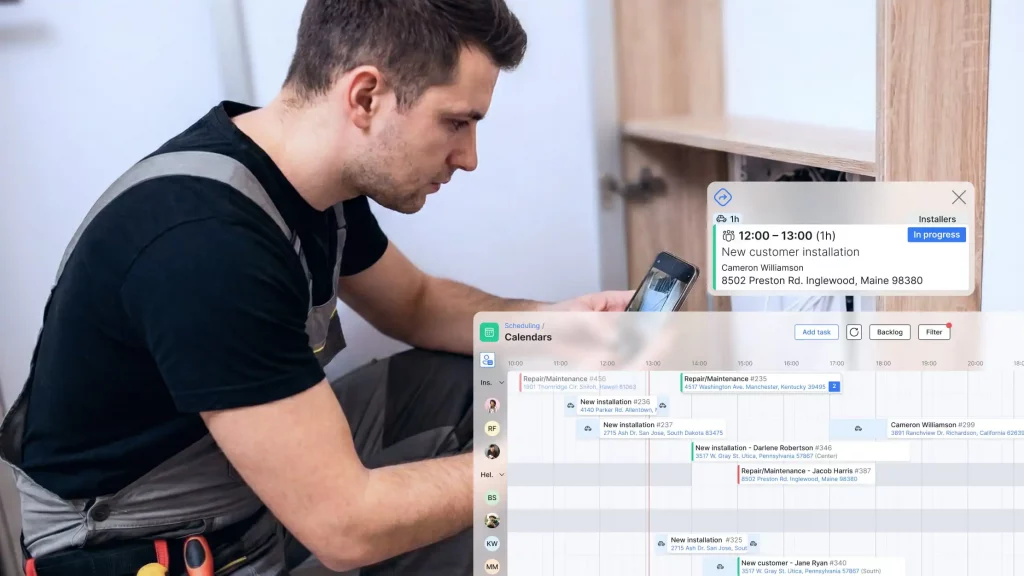
Managing field technicians is hard for ISPs. Jobs tracked on WhatsApp. Dispatching over phone calls. Technicians working with paper. No central system. No accountability.
We held a webinar on April 9, 2026 to address these problems. Chris Jansen, our Product and Deployment Manager, demonstrated Splynx’s scheduling module. Ruan Hermanson from Bluedog Technologies shared how they use it daily.
The complete webinar recording includes live demonstrations, detailed walkthroughs, and extended Q&A. Questions from the webinar chat are compiled with detailed answers and grouped by topic for easy reference. Use these for team training and implementation planning.
Q: What’s the difference between a ticket and a task?
A: Tickets live in the Helpdesk and represent communication between you and a customer – raised via email, the customer portal, or the ticket widget. A task is an internal project-management item for your team. You can create a task directly from a ticket, and they stay linked so you can navigate between them.
Q: Can you close a task without completing the checklist?
A: Yes – currently you can change the status to ‘Done’ and close the task even if checklist items are unticked. However, hard locks that require checklist completion (and other objectives) before closing are planned as a future automation feature in an upcoming release.
Q: Can we make it mandatory to complete the checklist and upload a photo before closing a task?
A: Not yet, but this is on the roadmap. The team is working on system-wide automation that will allow you to enforce compliance conditions – such as a completed checklist and uploaded photo – before a task can be closed.
Q: Can a task be transferred to a different technician?
A: Yes. You can reassign a task to a different technician (or team) at any time from the task detail screen.
Q: Can multiple tasks be created per ticket?
A: Not directly – one task can be linked to a ticket, but you can create subtasks under that task to break down the work and keep everything organized.
Q: Can we create subtasks per task?
A: Yes. You can add subtasks from both the admin interface and directly from the mobile app. The subtask feature is available under the Related section of any task.
Q: Can we split tickets when they involve different technicians or unrelated issues?
A: Ticket splitting is not available as a built-in feature at this time. This has been noted as a desired improvement. As a workaround, some teams use the related tasks/tickets linking feature to keep separate work streams organised.
Q:Can more than one technician be assigned to a task if they are not in the same team?
A: A task is assigned to a single technician or a team. If you need multiple technicians who are not in the same team, the recommended approach is to either group them into a team, use subtasks, or create linked tasks.
Q: Can we limit technicians to assign inventory only from their own vehicle stock location?
A: Yes – this is possible through admin permissions. When adding or editing an admin, you can assign specific stock locations to them if they have the Inventory/Items permission enabled. This way technicians will only see and assign from their designated stock location, such as their vehicle.
Q:Can unused inventory be automatically unassigned from a task on closure?
A: Not automatically at closure. However, your inventory or stock manager can view any items still sitting on open or closed tasks and manually book them back at any time. The intent is accountability: once an item is booked out to a vehicle or technician, they remain responsible for it until it is returned.
Q: Can we use the calendar to follow up on customers who have promised to pay on a certain date?
A:Full integration between scheduling/project management and the billing engine is planned for a future update. In the meantime, you can create a scheduled task on the customer’s profile with a reminder set for the follow-up date – the system will send you a notification at that time. Many customers also use the final workflow step to automatically notify the billing team when a task becomes billable.
Q:How do you best organise tasks across different areas/metros for the same company?
A:Use Locations to separate tasks geographically (this is the primary recommended method). Labels can be used as a secondary layer for additional categorisation. Partners can also be used if you operate a reseller or franchise model.
Q: Can webhooks be triggered per task or progress update? Can automated daily reports for pending/completed tasks be sent?
A: Webhook support per task event and automated daily task reports are not available out of the box currently. Notifications are configurable for assignment, scheduling, status changes, comments, file uploads, reminders, and a morning daily digest. For more advanced automation, please share this as a feature request via the forums or your account manager.
Q:Is WhatsApp available for client notifications from tasks/tickets?
A: WhatsApp-based client notifications triggered from tasks are in development and expected in the next version of Splynx. Currently, client communication from tasks can be done via email, SMS, and the customer portal.
Q: Do we need an additional provider to run WhatsApp with Splynx?
A: Yes. WhatsApp integration in Splynx requires a supported messaging provider/connector. Splynx WhatsApp integration works via Twillio provider.
Q: Can we send voice notes via WhatsApp in Splynx?
A: Yes, it is possible.
Q: When assigning a task, why doesn’t it push directly to the technician’s Field Service app – do they have to log in to Splynx to find it?
A: The Field Service mobile app is where technicians manage their tasks – they do not need to log into the full Splynx web interface. When a task is assigned or scheduled, the technician receives a push notification on their mobile app. They can then see and action the task directly in the Field Service app.
Q: Are there separate licences required for devices running the Field Service app?
A: No. The Field Service mobile app is included in your existing Splynx license at no additional cost.
Q: Is the offline mode reliable? Does it save everything and sync when back online?
A: Yes. The app has a full offline mode. Technicians can continue working – completing checklists, adding comments, logging work – without signal or data. As soon as they regain connectivity, all data syncs automatically back to the admin interface.
Q: What was the biggest resistance from technicians when moving from manual/WhatsApp workflows to the app?
A: From Ruan (Blue Dog Technology): The main pushback was around accountability – technicians are now fully accountable for their time and location. If they’re not where they should be, it’s visible. They also had to document what was done on site (comments, photos, checklists), which initially felt like a lack of trust. Over time, teams came to understand it’s about maintaining a service standard and building a traceable history per client.
Q:How accurate is technician time tracking in practice, and how do you prevent manipulation or under-reporting?
A: From Ruan (Blue Dog Technology): Very accurate in his experience. He cross-references Splynx time tracking against a separate vehicle tracking company to validate the data, and the two align well. The combination of location tracking and time logging makes manipulation difficult.
Q:Is staff location monitoring (live GPS tracking) possible through the app?
A: Not right now. It is planned to be released in 2026.
Q: Will the app stop working on version upgrades – what is the minimum server version required?
A: Splynx 5.2 is the minimum server version required to use the current Field Service app. Future app updates may require newer versions; always check release notes when upgrading.
Q: Is there a customer mobile app?
A: Yes. There is a mobile app for the customer portal. It can be white-labelled with your company logo on the login screen and app icon. Splynx is also finalising a mobile app for the helpdesk/support team that includes all communication layers.
Q: Can a customer sign off on a job card completed by the technician?
A: Yes. The Documents feature (available in both the admin interface and the mobile app) allows you to generate job cards and contracts directly from a task. The technician can collect a digital e-signature from the customer on-site. The signed document is then stored and visible on the customer’s profile.
Q: Will customers have access to work logs?
A: Work logs are internal by default. Customer-facing visibility of work logs was not confirmed as a current feature. For sharing job details with customers, the signed documents feature and customer portal are the recommended channels.
Q: Is network site integration available for tasks (e.g. sending a technician to a specific tower)?
A: Yes – this is coming in the next release, expected around June.
Q: Are there plans for more user-friendly template creation and more placeholder variables?
A: Template UX improvements and additional placeholder variables are on the product team’s radar. The forums are the best place to submit specific requests with examples so they can be prioritised. A future UX pass on template creation is expected.
Q: Can the dashboard display be customised per user?
A: Full per-user dashboard customisation and customisable list columns are not available at this time but have been noted as a desired improvement.
Splynx’s Field Service Mobile App
Today, we’re launching the Splynx Field Service app for iOS and Android, purpose-built to meet ISPs’ unique needs in...
Splynx 5.1 webinar: product & new features overview
This is the full recording of our recent live training where we walked through the latest features and improvements in S...
Automate accounting process for your ISP and save hours of work
See how Splynx can save your accountant hours with out-of-the-box accounting integrations that automatically synchronize...
Thinking about changing software for your ISP? Keep these tips in mind
Transitioning from one ISP software provider to another can be rather challenging. Here's what you need to consider to m...

The power of Splynx ACS (TR-069) for local ISPs
Splynx ACS (TR-069) optimizes the way ISPs operate, interact with clients, and manage their networks.
10 Biggest Nightmares for Local ISPs and How Splynx Solves Them (Insights from 50+ Feedbacks)
How can local ISP business succeed? Here are the biggest pitfalls on over 50 interviews with our clients worldwide.
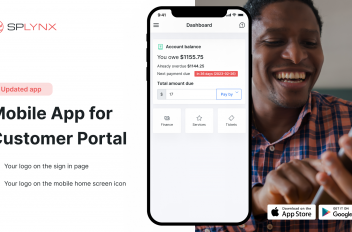
Enhance Your ISP Business with Customer Portal Mobile App
Discover Splynx’s Customer Portal mobile app for ISPs. Enhance your service, boost payments, and set your own branding...
How can WISP boost daily service with Splynx custom tags
Discover how can WISP improve daily customer service with Splynx customizable labels.
Adapting to Changing Net Neutrality Laws as an ISP
Discover how net neutrality laws affect ISPs and see how to adapt to evolving regulations and stay compliant.

How to drive ISP growth through referral marketing
Unlock growth opportunities with a referral system for WISPs – discover how to streamline customer acquisition with Sp...
Find out how Splynx helps ISPs grow
Learn more