Share

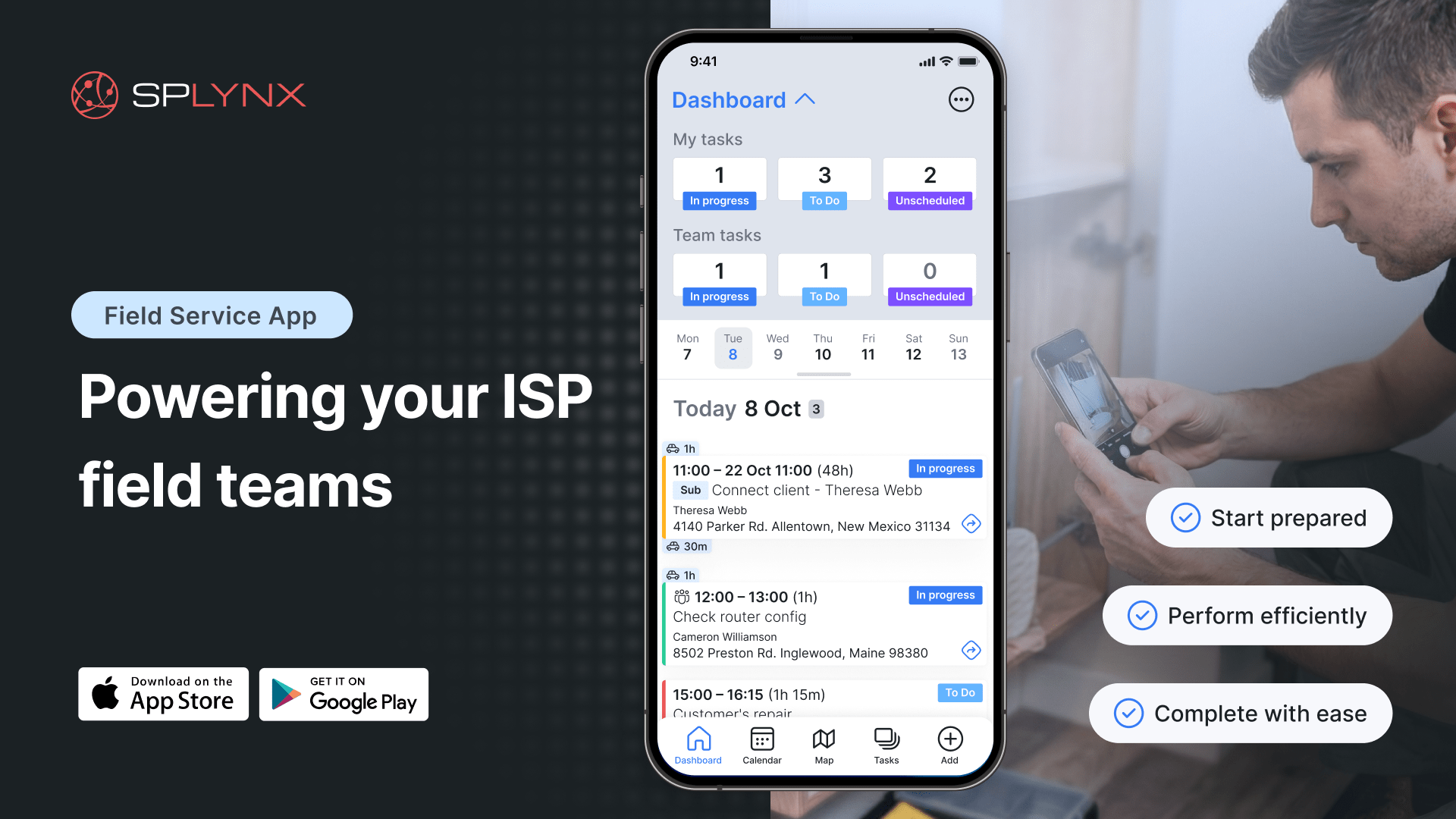
Success in the ISP business depends not just on what service you sell, but on the precision of how your technicians deliver it in the field. Today, the Splynx Field Service mobile app is redefining that delivery.
Today, we’re launching the Splynx Field Service app for iOS and Android, purpose-built to meet ISPs’ unique needs in scheduling and field service management. This means your installers and technicians get a faster, offline-capable tool that covers everything from task management to job completion — wherever they are.
Field operations are complex. But managing all of them shouldn’t be a logistical nightmare. While our previous Scheduling mobile app served its purpose at the time of release, we listened to your feedback and recognized the need for a major evolution.
We’ve heard from users that they appreciate a purpose-built solution for the field: one that bridges the gap between the office and the “last mile,” works seamlessly offline, and centralizes every tool a technician needs into a single, reliable mobile interface. And that is the main benefit of working with Splynx: we don’t let our products go stale. We continually develop and improve based on your real-world needs.
The Splynx Field Service app is designed specifically for field teams. It brings essential job information and tools into one simple mobile app. Here’s how it helps your technicians take control of their daily workflow:
We designed the Task management system to be the heartbeat of the app. For administrators, adding a new task or editing an existing one is quick and straightforward. At the same time, we gathered all the information your technician needs — including descriptions, checklists, comments, and worklogs — into a single, clear view. This means they never walk into a job unprepared and not asking questions that you already have the answers to.
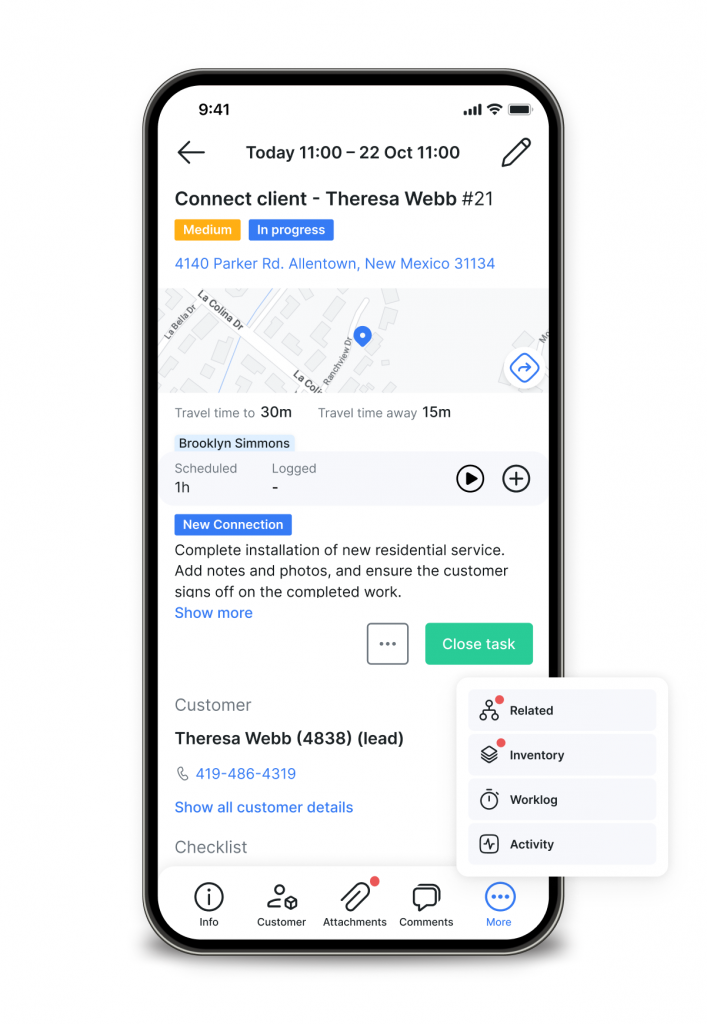
Sure, complex jobs aren’t always linear. That is why we added the ability to manage subtasks, link related tasks, and even connect tickets directly. It’s all the context of the office, right in their pocket. With permission-based access.
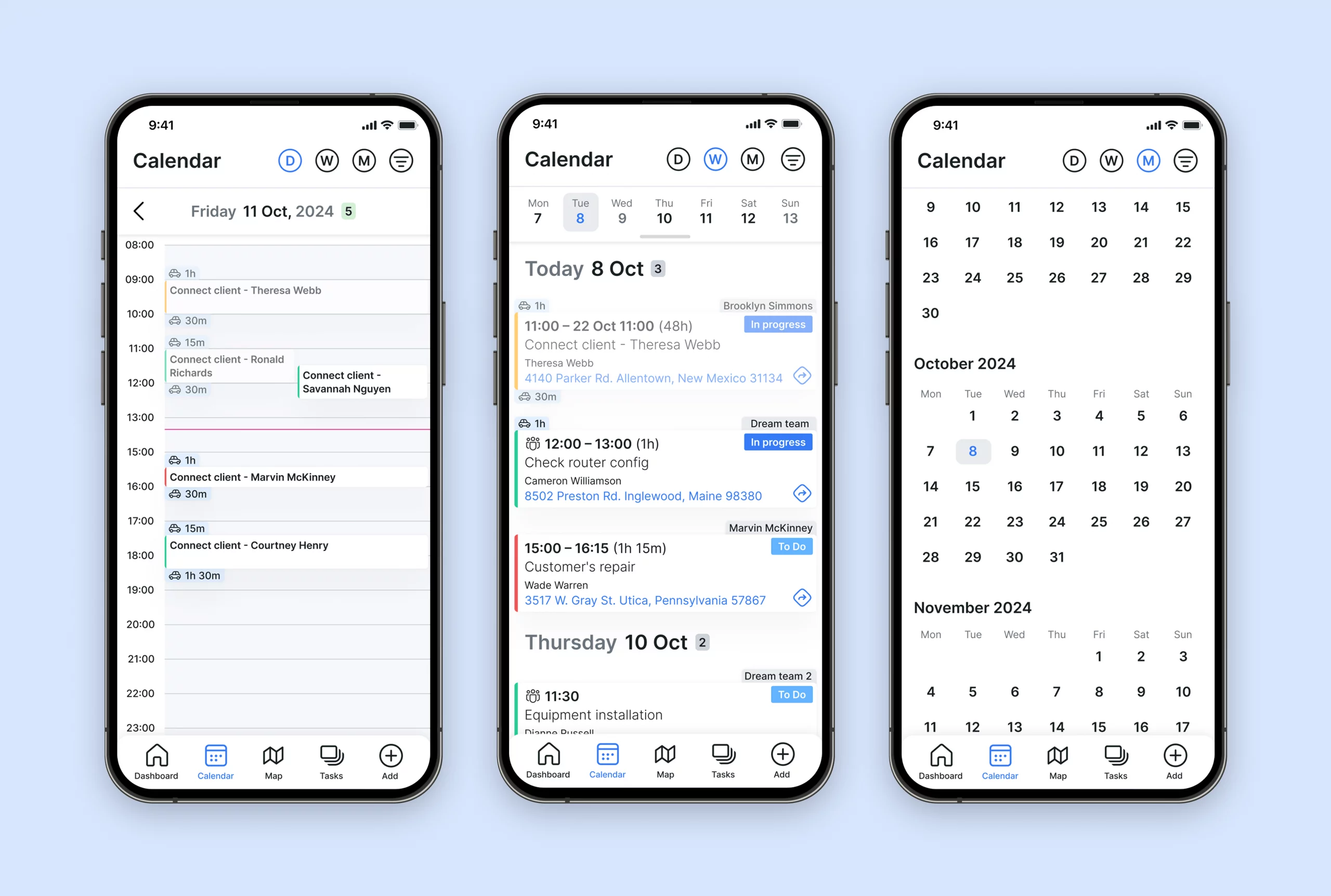
Your technicians can easily spot what’s next. They can switch between day, week, or month views, and apply customer or project filters to see exactly what is scheduled or pending in the backlog. It’s a clean, visual way to manage the day’s route without constantly calling dispatch.
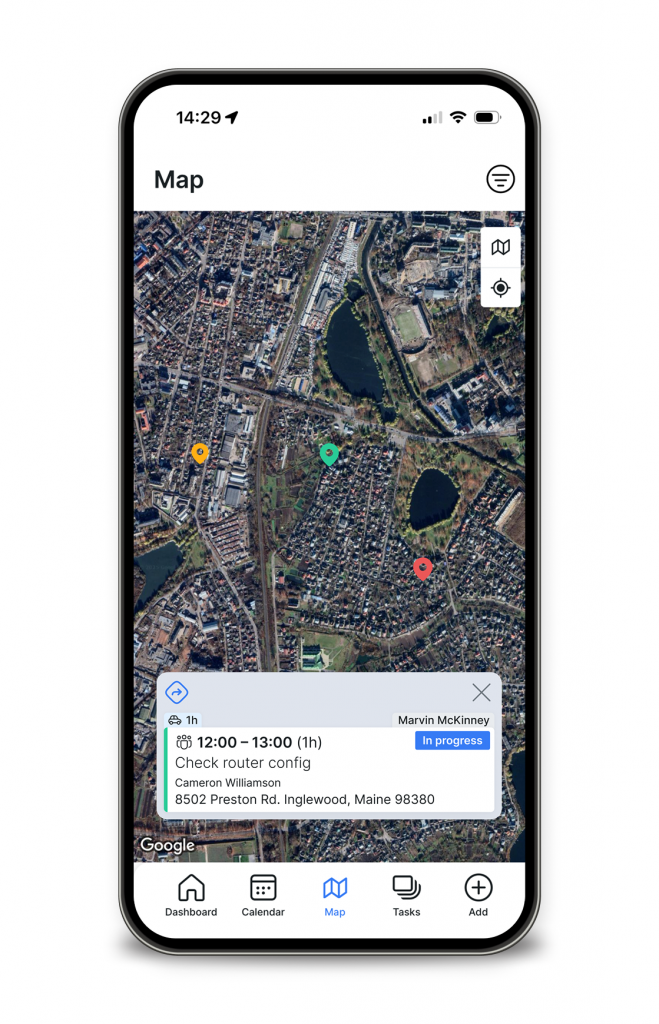
We also integrated the map directly into the Splynx Field Service app. So, technicians can see all deployment locations at a glance and, with one tap, open directions in their favourite navigation app (Google Maps, Waze, etc.). It saves seconds on every stop, which adds up to hours every month.
Proving the job is done should be instant and paperless. Technicians can snap photos of the installation, upload files, and even collect the customer’s e-signature right on the screen. Whether it’s confirming an installation or approving a rental agreement, it is signed, saved, and synced before the technician even walks out the door. It creates an immediate digital record, speeding up approvals and reducing disputes.
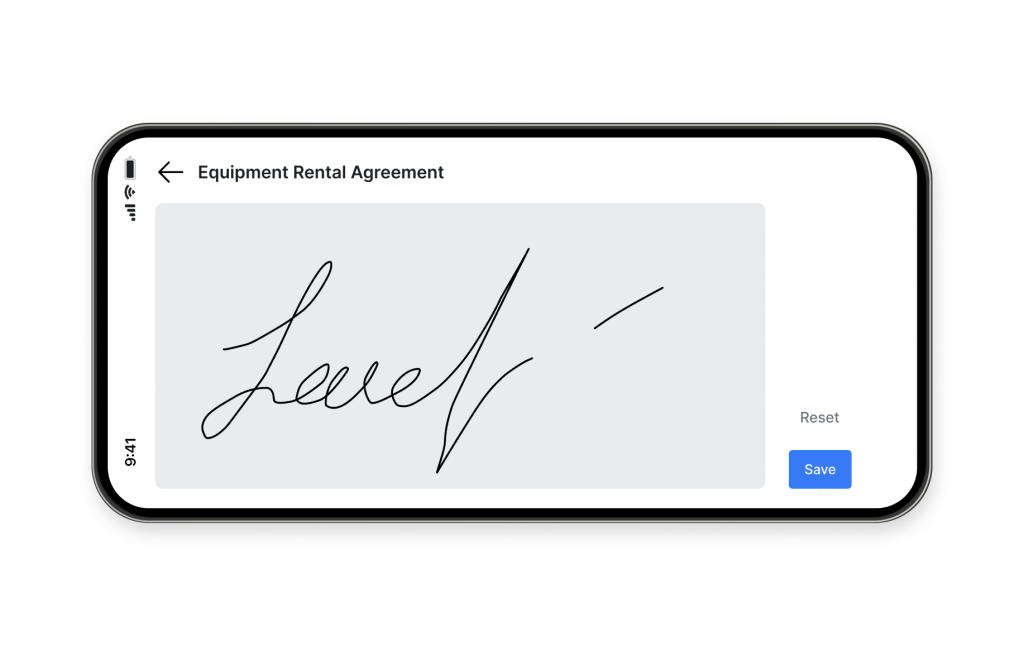
This is one of the features we are most excited about because we know how much money ISPs lose to “inventory drift.” So, we built simple equipment handling directly into the task flow. Technicians can assign, rent, or sell equipment right on site.
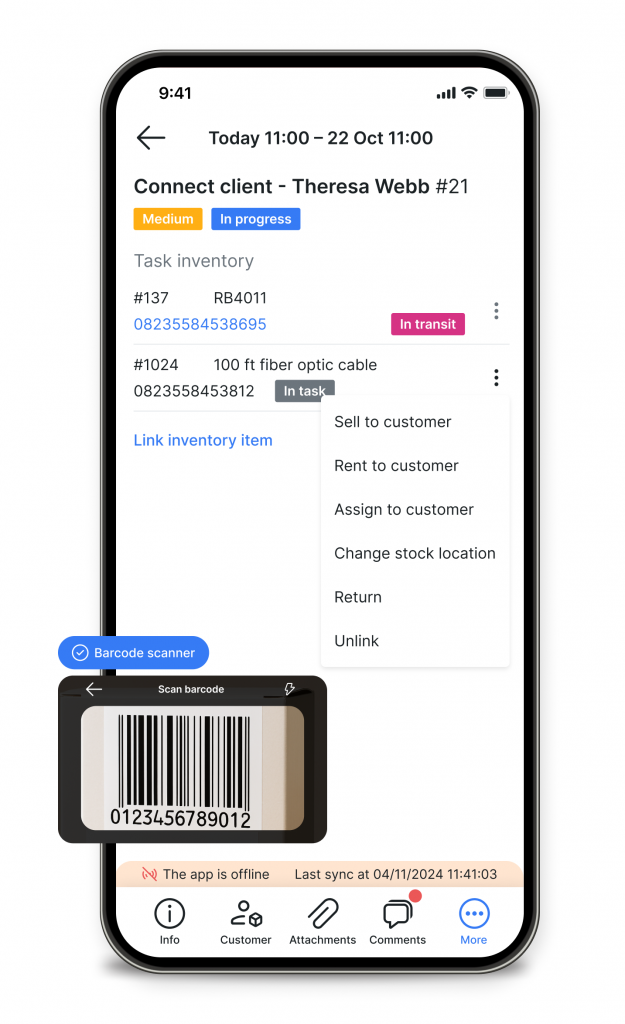
But the real productivity booster is the built-in barcode scanner. Your technician picks up a router, scans it with their phone camera, and it’s instantly assigned to the customer account. No typing errors, no lost serial numbers. It instantly links the hardware to the customer’s account, keeping your stock levels accurate and your billing precise.
We know that your technicians often work in basements, rural areas, or new builds without an internet connection. While offline, technicians can perform all essential functions (view task details, update checklists, and log work) no matter the stage of their route. All data automatically syncs with the system once connectivity is restored.
To keep everyone on the same page and, most importantly, on time, we also added specific notifications. Namely, technicians receive instant alerts for new task assignments, comments from the office team, and upcoming job reminders, ensuring they stay updated throughout the day.
Whether it’s a first installation, maintenance, or outage, Splynx keeps you focused and efficient to deliver the experience your subscribers expect.
The Splynx Field Service App is now live and available for download to all Splynx customers via the App Store or Google Play. We invite you to try it out and let us know your thoughts!
Splynx 5.1 webinar: product & new features overview
This is the full recording of our recent live training where we walked through the latest features and improvements in S...
Automate accounting process for your ISP and save hours of work
See how Splynx can save your accountant hours with out-of-the-box accounting integrations that automatically synchronize...
Thinking about changing software for your ISP? Keep these tips in mind
Transitioning from one ISP software provider to another can be rather challenging. Here's what you need to consider to m...

The power of Splynx ACS (TR-069) for local ISPs
Splynx ACS (TR-069) optimizes the way ISPs operate, interact with clients, and manage their networks.
10 Biggest Nightmares for Local ISPs and How Splynx Solves Them (Insights from 50+ Feedbacks)
How can local ISP business succeed? Here are the biggest pitfalls on over 50 interviews with our clients worldwide.
Enhance Your ISP Business with Customer Portal Mobile App
Discover Splynx’s Customer Portal mobile app for ISPs. Enhance your service, boost payments, and set your own branding...

How can WISP boost daily service with Splynx custom tags
Discover how can WISP improve daily customer service with Splynx customizable labels.
Adapting to Changing Net Neutrality Laws as an ISP
Discover how net neutrality laws affect ISPs and see how to adapt to evolving regulations and stay compliant.

How to drive ISP growth through referral marketing
Unlock growth opportunities with a referral system for WISPs – discover how to streamline customer acquisition with Sp...

Building a strong foundation for your ISP business
As the digital age continues to evolve, the importance of making informed decisions for your ISP business becomes increa...
Find out how Splynx helps ISPs grow
Learn more